Biggest Tuf Vg27Vq Buying Mistakes (And How to Avoid Them)
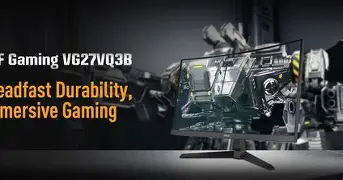
The ASUS TUF Gaming VG27VQ has established itself as a staple in the mid-range gaming monitor market. With its 165Hz refresh rate, 1ms response time (MPRT), and distinctive 1500R curvature, it promises an immersive experience for competitive and casual gamers alike. However, despite its popularity, many consumers find themselves dissatisfied after the purchase. This dissatisfaction rarely stems from a defect in the monitor itself, but rather from a mismatch between user expectations and the specific technical trade-offs inherent in this model. Buying a monitor is no longer just about picking a screen size; it is about understanding panel technology, ghosting, pixel density, and ergonomic compatibility. To ensure you get the most out of your investment, it is crucial to recognize the common pitfalls associated with purchasing the VG27VQ.
Understanding the TUF Gaming VG27VQ
Before diving into the mistakes, one must understand what the VG27VQ actually is. This is a 27-inch Curved Full HD (1920x1080) monitor utilizing a Vertical Alignment (VA) panel. VA panels are known for their superior contrast ratios—often reaching 3000:1—compared to the standard 1000:1 found in IPS (In-Plane Switching) and TN (Twisted Nematic) panels. This makes the VG27VQ an excellent choice for gaming in dark rooms or for users who prioritize deep blacks and vibrant colors in cinematic titles. The 1500R curve is designed to follow the natural field of view, theoretically reducing eye strain and increasing immersion. However, these very strengths can become weaknesses if the buyer is looking for a monitor for productivity, high-fidelity photo editing, or ultra-competitive twitch-based shooters where every millisecond of motion clarity counts.
Mistake 1: Ignoring the Pixel Density of 1080p at 27 Inches
Perhaps the most frequent mistake buyers make when selecting the VG27VQ is underestimating the impact of resolution on a 27-inch canvas. Many users upgrade from a 24-inch 1080p monitor and assume that the same resolution will look just as sharp on a larger screen. Mathematically, this is not the case. A 24-inch 1080p monitor has a pixel density of roughly 92 pixels per inch (PPI). When you stretch that same number of pixels across a 27-inch screen, the density drops to approximately 81 PPI.
For many users, this drop results in "screen door effect," where individual pixels become visible to the naked eye at a standard viewing distance. Text can appear jagged, and fine details in open-world games may look blurry or pixelated. If your primary use case involves heavy text-based productivity, such as coding, writing, or spreadsheet management, the VG27VQ might frustrate you. However, for gaming and media consumption, where the image is constantly in motion, this lower PPI is less noticeable. To avoid this mistake, consider your viewing distance; if you sit more than three feet away, the lower density becomes negligible. If you sit close to your desk, you must weigh the performance benefits of 1080p against the visual clarity of a 1440p alternative.
Mistake 2: Misunderstanding VA Panel Ghosting and Black Smearing
The VG27VQ uses a VA panel, which is a deliberate choice by ASUS to provide high contrast. A significant segment of the buying public, however, is unaware of the "black smearing" phenomenon associated with VA technology. VA panels struggle with fast transitions from dark pixels to lighter ones. In fast-paced games, this manifests as a dark trail behind moving objects, particularly when moving through shadows or night scenes. This is often referred to as ghosting or motion blur.
Buyers often mistake this for a defect or a slow refresh rate, but it is simply a characteristic of the liquid crystal behavior in VA panels. While the VG27VQ features ASUS Extreme Low Motion Blur (ELMB) technology to combat this, using ELMB often requires disabling Adaptive-Sync and significantly reduces the screen's brightness. The mistake here is expecting the motion clarity of a TN or high-end IPS panel. If you are a professional-level Counter-Strike or Valorant player, the ghosting on a VA panel might hinder your performance. For RPGs like The Witcher 3 or cinematic experiences like Cyberpunk 2077, the deep blacks often outweigh the minor motion artifacts.
Mistake 3: Overlooking the Constraints of a Curved Display
The 1500R curve is one of the VG27VQ's primary selling points, but it is also a source of regret for certain types of users. Curvature is highly subjective. On a 27-inch screen, the curve is relatively subtle, but it still introduces geometric distortion that can be problematic for professional work. Architects, graphic designers, and digital artists often find that straight lines appear slightly bowed on a curved screen, which can interfere with accurate drafting or layout work.
Furthermore, the curve can exacerbate glare if the monitor is placed in a room with multiple light sources behind the user. The arc of the screen can catch reflections from various angles that a flat panel would miss. Buyers often choose the curved model because it looks "cool" or "modern" without testing if a curve actually benefits their workflow. Before buying the VG27VQ, ensure that you prefer the wrap-around feel for gaming and that you don't require the mathematical line-straightness of a flat panel for your professional life.
Mistake 4: Failing to Pair the Monitor with the Right Hardware
A 165Hz monitor is only as good as the frame rates your PC can produce. A common mistake is buying a high-refresh-rate monitor like the VG27VQ while running an older graphics card that struggles to hit 60 FPS. While the monitor features FreeSync and is G-Sync Compatible, which helps smooth out frame rate fluctuations, the true benefit of the 165Hz glass is only realized when your hardware can push north of 120 FPS. Conversely, if you have a top-tier GPU like an RTX 4080, buying a 1080p monitor like the VG27VQ is a massive bottleneck, as your card is capable of much higher resolutions. The VG27VQ sits in a "sweet spot" for mid-range gaming builds—think RTX 3060 or RX 6600 XT—where 1080p at high frame rates is the standard.
Looking for the best Electronics deals on Amazon?
Shop Amazon →Analysis: Performance and Build Quality
The VG27VQ is built like a tank, which is a hallmark of the TUF Gaming line. The stand is one of the best in its price bracket, offering full height adjustment, tilt, and swivel. This is often an overlooked feature; many budget 144Hz monitors come with flimsy, tilt-only stands. The inclusion of a robust stand means you can achieve a proper ergonomic setup without spending extra money on a VESA mount. Constructively, the monitor features a heavy plastic build with an industrial aesthetic that hides fingerprints well.
In terms of color performance, the monitor covers roughly 120% of the sRGB color gamut. While this results in "popping" colors that look great in vibrant games, it may require calibration for those who want color accuracy. Out of the box, the colors can lean slightly toward a warm or oversaturated tint. The OSD (On-Screen Display) is controlled by a joystick on the back, which is intuitive and far superior to the multi-button layouts found on cheaper competitors. Features like Shadow Boost are genuinely helpful for competitive players, as it brightens dark areas without overexposing the highlights, helping to spot enemies hidden in corners.
Pros and Cons of the Tuf Vg27Vq
- Pro: High Contrast Ratio: The 3000:1 contrast ratio provides deep, atmospheric blacks that IPS panels cannot match, making it superior for horror games and movies.
- Pro: Exceptional Ergonomics: The featured stand allows for height, swivel, and tilt adjustments, ensuring comfort during long gaming sessions.
- Pro: 165Hz Refresh Rate: Offers a significant smoothness advantage over standard 60Hz or 75Hz screens, providing a competitive edge in fast-moving titles.
- Pro: G-Sync/FreeSync Compatibility: Eliminates screen tearing and stuttering, providing a fluid experience even when frame rates fluctuate.
- Con: 1080p Resolution on 27-inch Screen: Lower pixel density leads to visible pixels and less sharpness compared to 1440p monitors of the same size.
- Con: VA Smearing: Dark transitions can be slow, leading to noticeable trailing in high-contrast, fast-motion scenes.
- Con: Limited Brightness for ELMB: While the motion blur reduction is effective, it dims the screen significantly, making it hard to use in bright rooms.
Technical Specifications Comparison
To better understand how the VG27VQ fits into the market, it is helpful to compare it against its peers in the TUF lineup and general market standards.
| Feature | ASUS TUF VG27VQ | Standard 27" IPS Monitor | Standard 24" TN Monitor |
|---|---|---|---|
| Panel Type | VA (Curved) | IPS (Flat) | TN (Flat) |
| Resolution | 1920 x 1080 | 2560 x 1440 | 1920 x 1080 |
| Contrast Ratio | 3000:1 | 1000:1 | 1000:1 |
| Refresh Rate | 165Hz | 144Hz - 165Hz | 144Hz - 240Hz |
| Motion Clarity | Moderate (Some Smearing) | High | Very High |
| Color Accuracy | Good (Vibrant) | Excellent | Poor (Washed out) |
Buying Guide: Is the VG27VQ Right for You?
To avoid the mistakes mentioned above, you should evaluate your needs against the following criteria. The VG27VQ is not a universal "best" monitor, but it is a "best" for specific scenarios.
Scenario A: The Cinematic Gamer
If you primarily play single-player titles like Elden Ring, Red Dead Redemption 2, or Star Wars Jedi: Survivor, the VG27VQ is an excellent choice. The VA panel's contrast makes these worlds look rich and deep. The 1080p resolution allows you to crank your graphics settings to "Ultra" on a mid-range PC, which often looks better than playing at 1440p on "Low" settings. In this scenario, the purchase is a win.
Scenario B: The Competitive E-Sports Player
If you spend 90% of your time in Overwatch 2, Apex Legends, or CS2, you might regret the VG27VQ. The VA panel's pixel response times are slower than TN or IPS equivalents. You may notice "blur" when turning quickly, which can be distracting. For these users, a 24-inch 1080p TN panel or a fast 1440p IPS panel would be a safer, albeit potentially more expensive, bet.
Scenario C: The Work-from-Home Professional
If your monitor doubles as your workstation for reading vertical columns of text or designing layouts, the 81 PPI pixel density of the VG27VQ will likely bother you. Text lack the crispness found on higher-resolution displays. Furthermore, the curve can make standard flat-window interfaces feel slightly "off." If productivity is 50% of your usage, consider looking for a 27-inch 1440p flat IPS panel instead.
How to Avoid Technical Setup Mistakes
Even if you buy the right monitor, many users make the mistake of not setting it up correctly. To avoid leaving performance on the table, follow these steps immediately after unboxing your VG27VQ:
Discover deals on Electronics — updated daily.
Browse Now →First, ensure you are using a DisplayPort cable. While the VG27VQ supports HDMI, DisplayPort is often required to reach the full 165Hz refresh rate and to enable G-Sync Compatibility on NVIDIA cards. Many users plug in an old HDMI cable and wonder why they are capped at 60Hz or 120Hz.
Second, you must manually change the refresh rate in your operating system. Windows often defaults to 60Hz, regardless of the monitor's capabilities. Right-click the desktop, go to Display Settings, then Advanced Display Settings, and ensure the refresh rate is set to 165Hz. It is a tragedy how many high-refresh monitors are used for years at 60Hz because the owner didn't check this setting.
Third, navigate the OSD and find the "Overdrive" (ASUS calls it Trace Free) settings. Setting this too low causes ghosting, but setting it too high causes "overshoot," where white halos appear around moving objects. For the VG27VQ, a setting of 60 or 80 is usually the sweet spot for maximizing clarity without introducing artifacts.
The Verdict on 1080p in 2026
As we move further into the decade, 1440p is becoming the industry standard. However, 1080p still holds a vital place in the market. It is easier to drive, cheaper to buy, and perfectly adequate for a huge portion of the gaming population. The mistake isn't buying a 1080p monitor; the mistake is buying one without knowing what you are giving up in exchange for the price point. The TUF Gaming VG27VQ offers a specific combination of features—curved immersion, deep contrast, and robust build—that makes it a compelling value for the right person.
Avoiding a buying mistake with this monitor comes down to honesty. Be honest about your PC's power, be honest about how much you care about text sharpness, and be honest about whether you prefer the "pop" of high contrast over the "speed" of an IPS panel. If you value atmosphere and immersion over clinical accuracy and competitive edge, the VG27VQ is a powerhouse that will serve your setup well for years to come. By understanding the density limits, the panel technology, and the cable requirements, you can ensure that your purchase feels like a genuine upgrade rather than a compromised lateral move.
Ultimately, the TUF Gaming VG27VQ stands as a testament to the fact that technical specs only tell half the story. The real-world experience of sitting in front of a curved, high-contrast screen is something many users find deeply satisfying. As long as you avoid the common pitfalls of mismatched hardware and unrealistic expectations regarding pixel density, this monitor remains one of the most reliable choices in the 27-inch gaming category.